
It’s 2026. We have AI that can generate video from text, yet when a QA engineer attaches a screenshot of a log file to a Jira ticket, I still find myself manually re-typing error codes like it’s 1995.
So I built it into my Forge app Attachment Architect: a Scan Text button that turns pixels into copy-pasteable text.
The boring enterprise solution is “just ship it to Textract/Vision”. The problem: screenshots often contain stuff that should never leave the browser (PII, API keys, internal URLs, config fragments). I wanted OCR that’s privacy-first by default. This is also the only way how to keep “Runs on Atlassian” badge.
So: 100% client-side OCR. In a Forge Custom UI. Running Tesseract.js in the browser via WebAssembly.
Phase 1 – the tunnel trap: everything works (until it doesn’t)
I started in the happy place: forge tunnel.
- Worker spins up.
- WASM loads.
- OCR returns text.
- I’m feeling unstoppable.
This is the part where Forge can quietly mess with your intuition: tunnel is not Cloud.
Not in the “different API base URL” sense – in the security / CSP / asset serving sense.
In tunnel, you can get to a working state quickly enough that you subconsciously stop thinking about what the platform will do to your code once it’s served from the real Cloud environment. I already managed to complete front-end UI/UX and was almost ready for production.
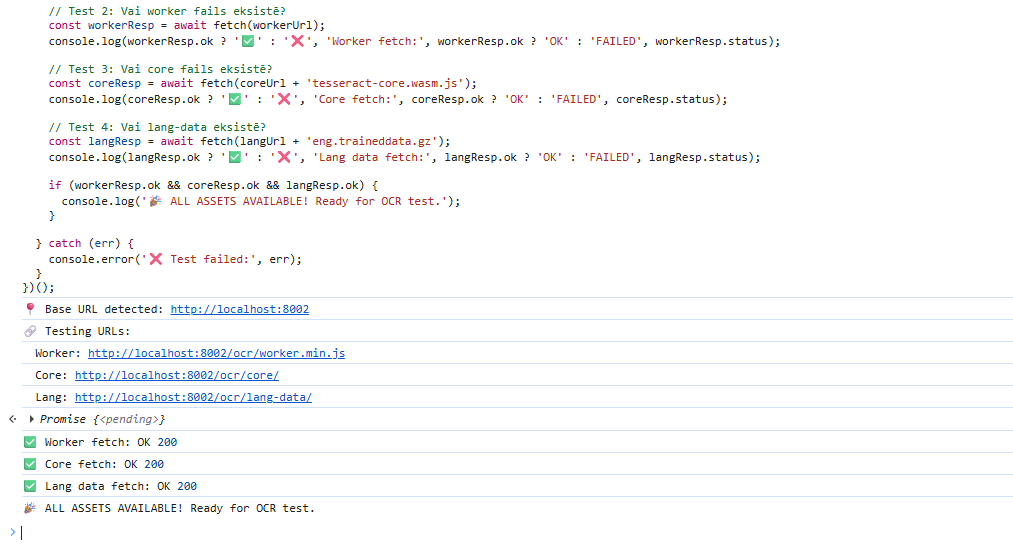
Phase 2 – deploy to Jira Cloud, click the button, watch it burn
Then I deployed:
forge deploy -e developmentClicked Scan Text in real Jira Cloud.
Spinner spins forever.
DevTools console turns into a murder board:
Refused to create a worker from 'blob:...'Violates Content Security Policy directive ...WASM compilation failed
The tunnel didn’t lie on purpose. It just didn’t reproduce the same conditions.
In cloud, Forge Custom UI is served from Atlassian’s infrastructure with strict CSP rules. And the way your assets and worker scripts are served/isolated matters.
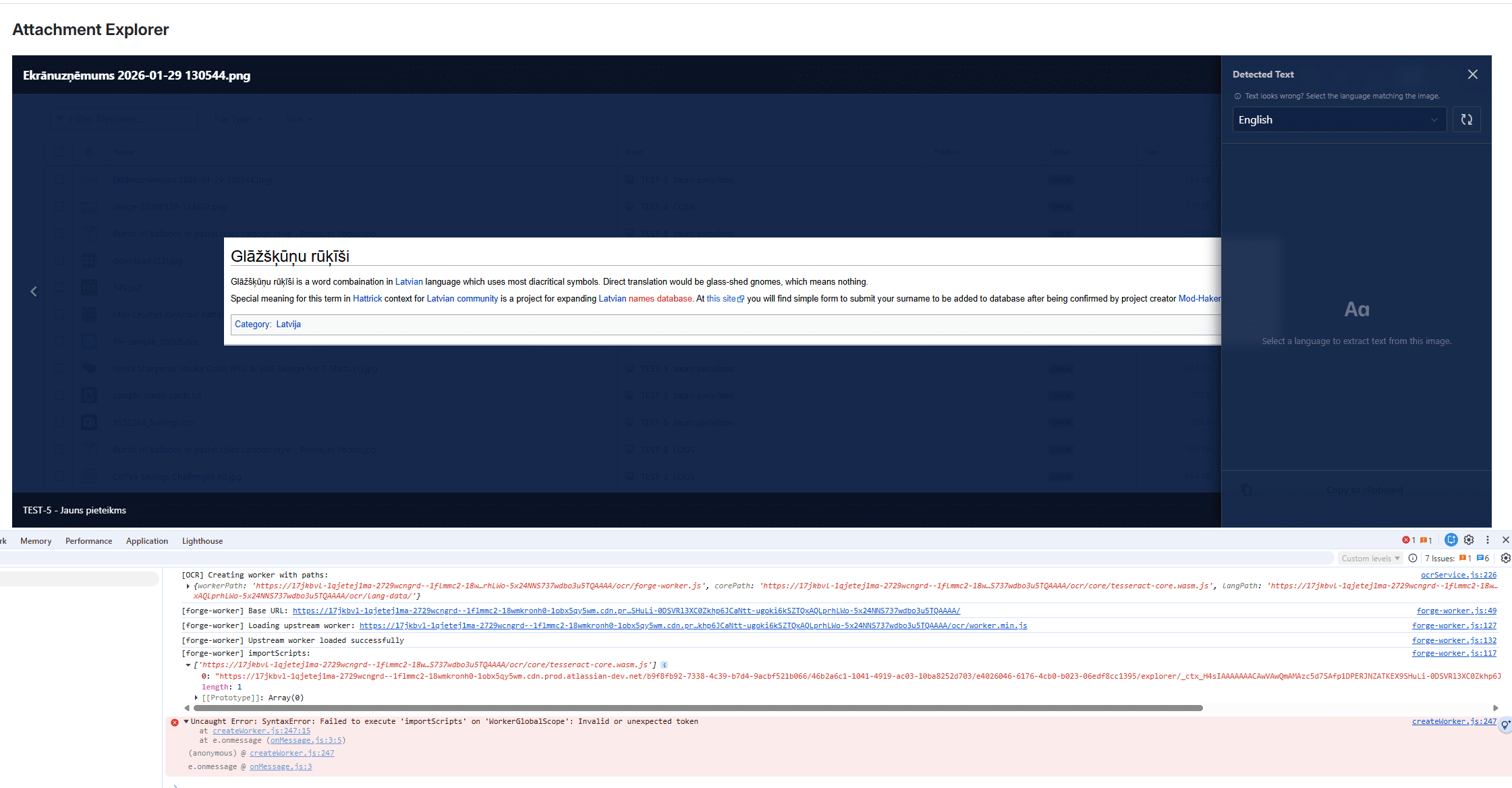

What actually broke: Workers + CSP + WASM in Forge
Tesseract.js runs OCR inside a Web Worker. That’s the correct architecture (OCR is heavy, keep it off the main thread).
The surprise: in Forge Custom UI, a worker loaded as a “normal” script can behave like it has its own, stricter sandbox rules.
If that worker can’t do what the WASM runtime needs, you get the kind of failures that look like “WASM is broken”, when in reality it’s CSP and worker context.
The fix wasn’t “try another bundler” or “sprinkle more polyfills”. It was understanding that I needed the worker to execute under the same CSP as the main app.
The fix: Blob workers that inherit the main thread CSP
The core idea:
- Create the worker via a Blob URL, so it inherits the main thread CSP.
- Explicitly allow what OCR needs in the Forge manifest.
And it boils down to this:
const worker = await createWorker(validLanguage, 1, {
  workerPath: urls.workerPath,
  corePath: urls.corePath + 'tesseract-core.wasm.js',
  langPath: urls.langPath,

  // The whole trick:
  workerBlobURL: true,
});
On the platform side, the app’s manifest.yml CSP allows:
scripts: 'unsafe-eval'(needed for this WASM/Tesseract setup)scripts: 'blob:'(needed for Blob Worker URLs)
This is the part that makes the whole feature go from “works in tunnel” to “works in Cloud”.
 Bonus reality check: your OCR assets can’t depend on the internet
I also didn’t want OCR to download anything from random URLs at runtime.
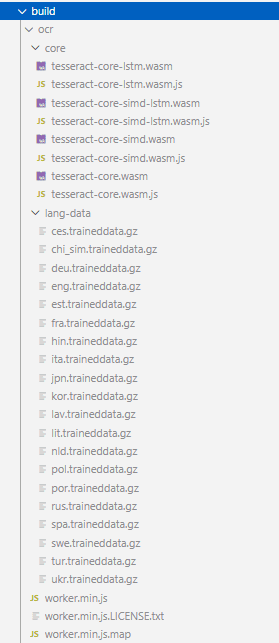
So the app ships the whole OCR stack as static assets:
public/ocr/worker.min.jspublic/ocr/core/tesseract-core.wasm.js(+ wasm variants)public/ocr/lang-data/*.traineddata.gz
That means OCR works in production with no “call home” behavior.
Yes, it’s heavier. But it’s predictable.
Safety: guardrails so OCR doesn’t nuke the browser tab
Client-side OCR is one of those features that will happily eat RAM for breakfast if you don’t put it on a leash.
This implementation is pretty strict:
- Only accepts
data:image URIs,blob:URLs, or same-origin URLs. - Caps Data URI length to ~25MB.
- Downscales images bigger than 4000px (canvas) before OCR.
- Hard timeout at 2 minutes.
That’s not “security theater” – it’s the difference between “neat feature” and “my Jira tab froze again”.
The result
Now the production flow is actually boring (which is what you want):
- Click Scan Text.
- The browser loads the bundled worker/WASM/language data from the Forge static resource.
- A Blob worker starts (inherits CSP).
- OCR runs.
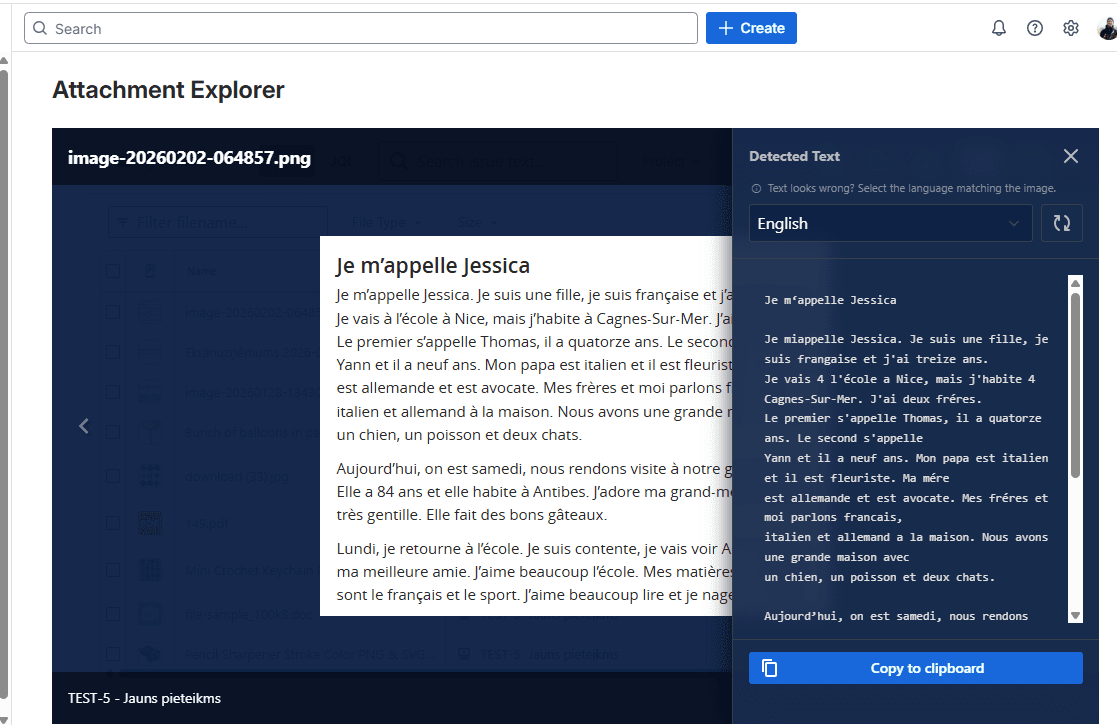
- Text appears.
No screenshot leaves the user’s browser.
And yes – the service prints a loud console banner before any scary warnings:

Because if you’re going to fight CSP for a living, you deserve a tiny victory flag.
Takeaway
If you’re building anything spicy in Forge Custom UI (WASM, workers, heavy client runtimes), treat forge tunnel as a convenience, not a guarantee.
The only environment that matters is the one your customers run: production Jira Cloud, with real CSP and real asset hosting.
Want to try it?
Check out Attachment Architect on the Atlassian Marketplace. It now reads text, previews Excel files, and lets you peek inside ZIPs – all securely inside Jira.